CrochetPatternGen

Crochet Cat Patterns (Free Charts)

Real cats, real charts — each pattern below was generated from an actual photo, with grid, palette, and stitch counts included.

Most cat chart pages show the same dozen recycled pixel cats. These three are different: each one was converted from a real cat photo by the CrochetPatternGen engine — the same tool you can use on your own cat. The grid is exact, every color is counted, and what you see is genuinely what you stitch.

Cats are the most-requested subject for photo blankets, and for good reason: a clear photo with a plain background converts beautifully. All three charts work in single crochet for a panel or pillow, or as C2C blocks for a blanket.

The free charts

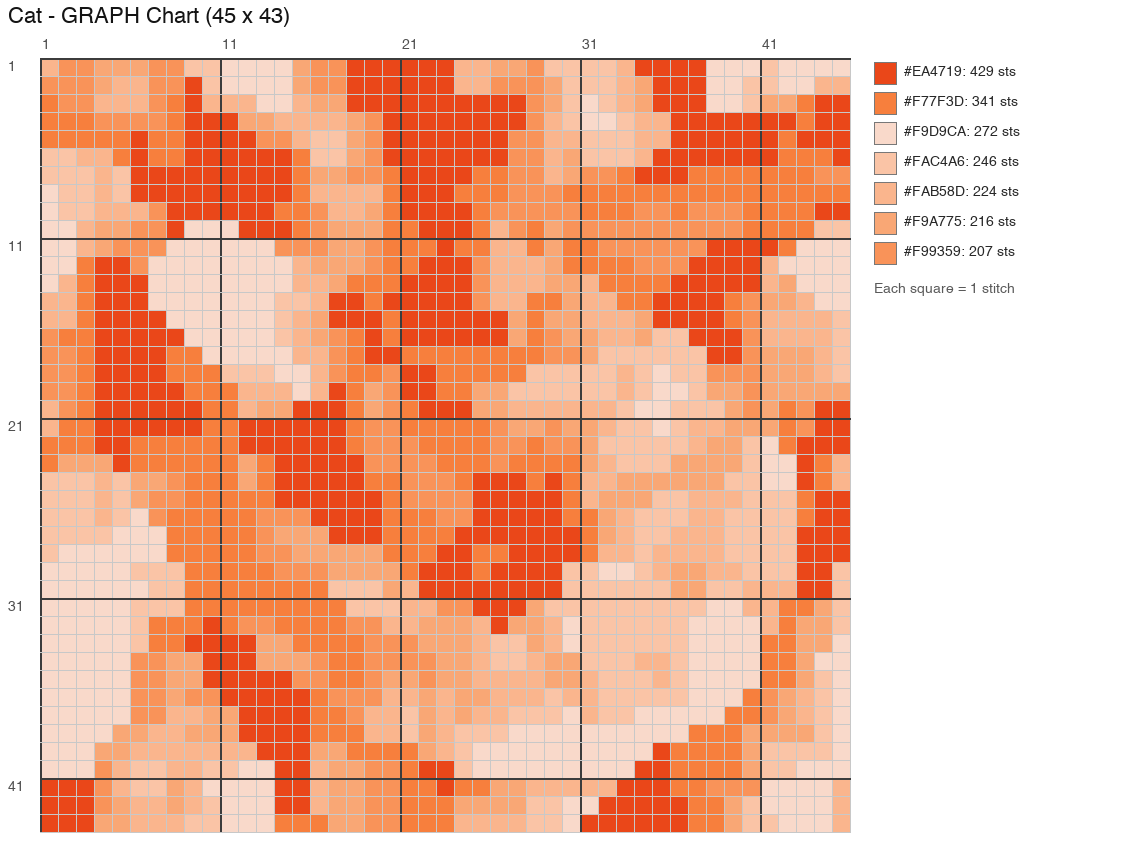
Digital previewCurled Ginger Cat crochet chart, 45 × 43 stitches, 7 colors

Curled Ginger Cat

Difficulty
Intermediate
Technique
Graph (single crochet) or C2C
Chart size
45 × 43 stitches
Colors
7
Yarn needed
≈ 120 yds total
Source
Generated from a real photo

A ginger cat curled into a loaf — warm oranges against a soft background. The smooth color blocks make it friendlier than it looks.

Download chart (PNG) ⬇️
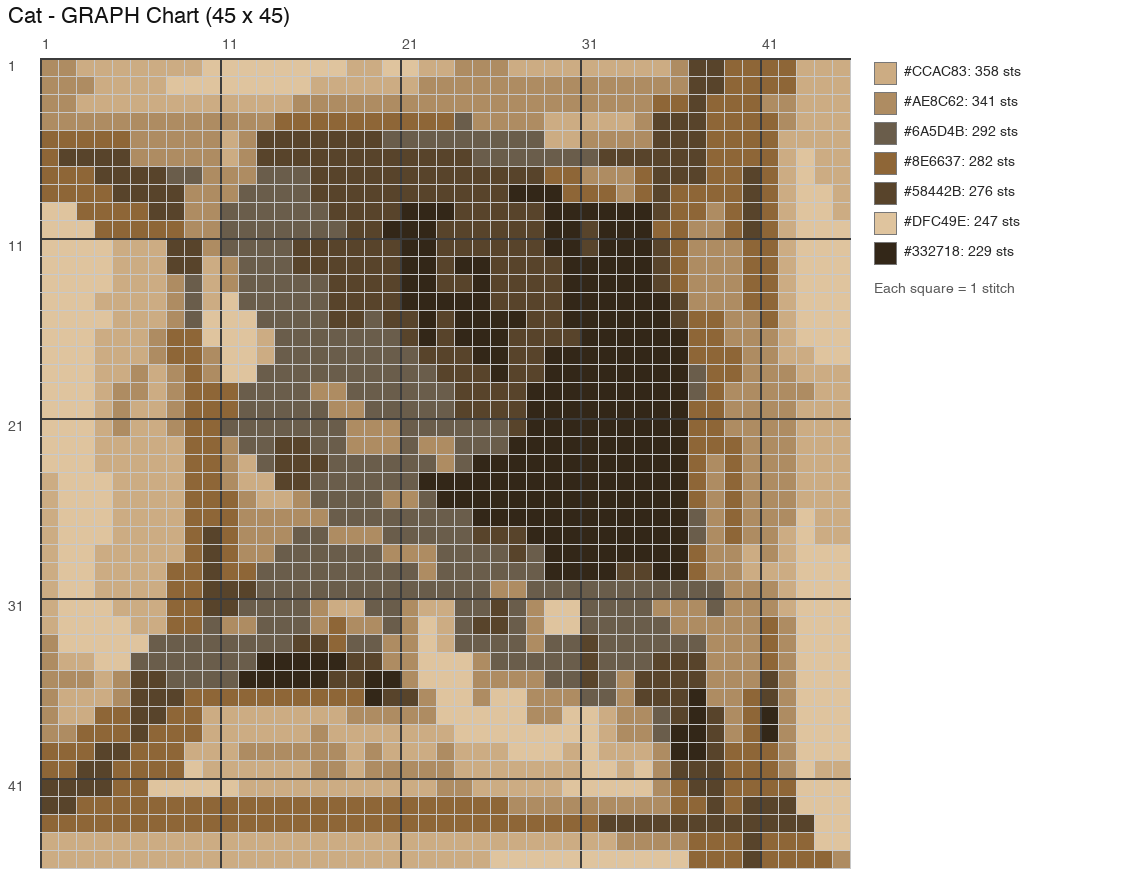
Digital previewGrey Cat in a Box crochet chart, 45 × 45 stitches, 7 colors

Grey Cat in a Box

Difficulty
Intermediate
Technique
Graph (single crochet) or C2C
Chart size
45 × 45 stitches
Colors
7
Yarn needed
≈ 125 yds total
Source
Generated from a real photo

Because of course the cat is in the box. Moody greys and blues — a good match for a monochrome modern blanket.

Download chart (PNG) ⬇️
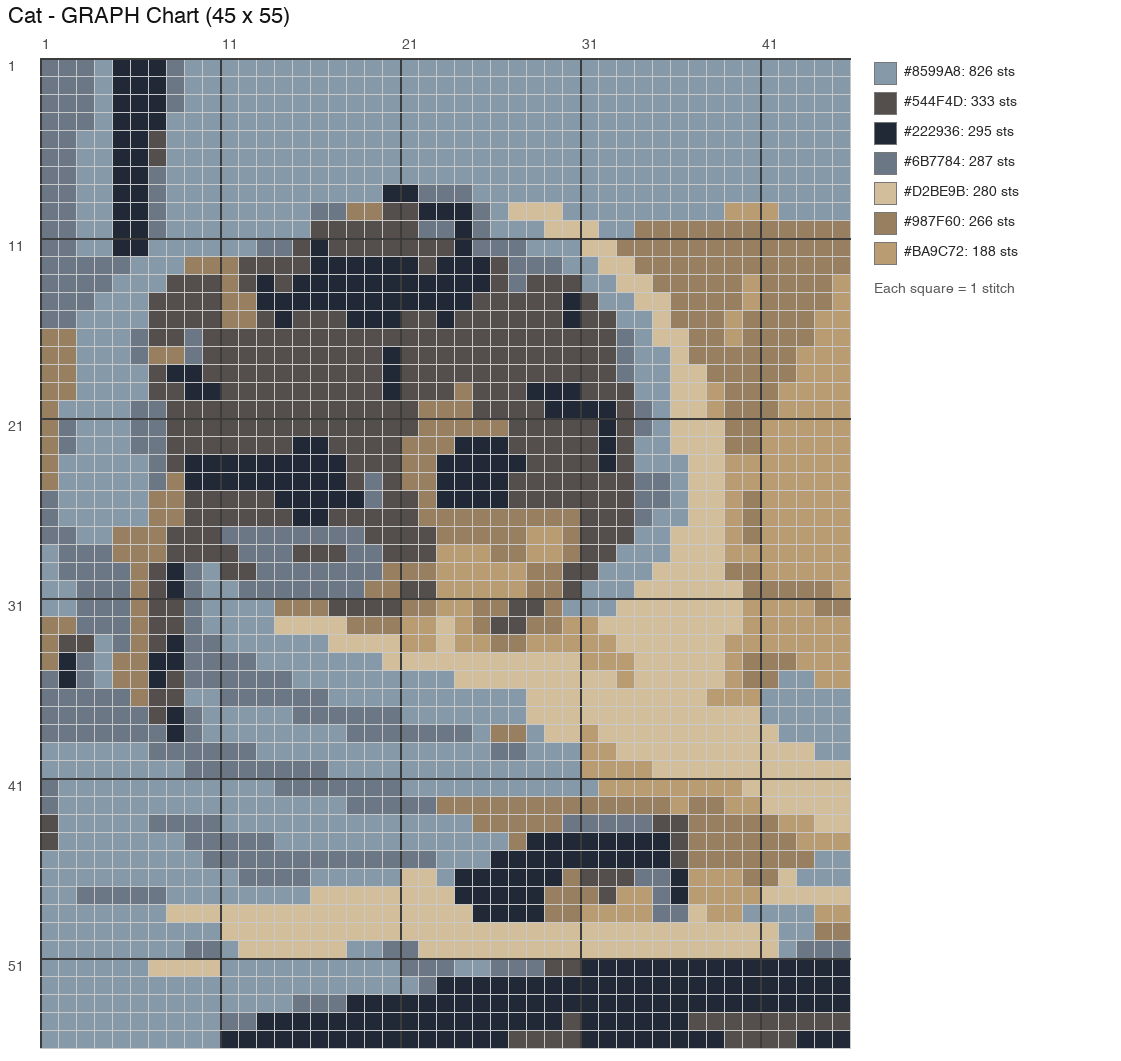
Digital previewTabby Kitten in a Blanket crochet chart, 45 × 55 stitches, 7 colors

Tabby Kitten in a Blanket

Difficulty
Intermediate
Technique
Graph (single crochet) or C2C
Chart size
45 × 55 stitches
Colors
7
Yarn needed
≈ 150 yds total
Source
Generated from a real photo

A kitten wrapped in a striped towel — the chart that proves pet photos work. Tall format suits a wall hanging or blanket center panel.

Download chart (PNG) ⬇️

How to crochet it

  1. Choose your cat and size

    Download a chart below. At 45 stitches wide in worsted yarn with a 5 mm hook, each panel lands around 30–35 cm wide; go up a hook or yarn weight for a bigger piece.

  2. Work the grid

    Single crochet: one cell = one stitch, bottom-up. C2C: one cell = one block, worked diagonally. The legend's stitch counts tell you exactly how much of each color you need.

  3. Chart your own cat

    Take a photo of your cat against a plain background, upload it to the generator, and set 45–60 stitches wide with 6–8 colors. That's how all three of these were made.

Make your own chart

Have a photo you love? The free generator turns it into a stitch-ready chart — grid, palette, and stitch counts included.

Frequently asked questions

Can I make a crochet cat blanket from these charts?

Yes — that's the intended use. Work the chart in C2C blocks for a quick blanket, or in single crochet for a denser panel you can join with other squares. The per-color stitch counts convert directly into yarn amounts with the yarn calculator.

How do I turn my own cat's photo into a crochet pattern?

Use the pattern generator: upload the photo, choose 45–60 stitches wide and 6–8 colors, and download the chart. Photos with a plain, contrasting background and good light give the cleanest charts — the tool warns you when a photo will lose detail.

Are these cat patterns free?

Yes, all three charts are free to download for personal use. They were generated from real photos by our conversion engine — no hand-tracing, no recycled clipart.

What skill level are these cat charts?

Intermediate, mostly due to size and color changes rather than hard stitches — everything is single crochet or C2C blocks. If you're new to colorwork, start with the frog chart (smaller), then come back for the cats.

Why do these charts look different from other cat patterns online?

Because they're converted from real photographs, not hand-drawn pixel art. That gives natural shading and realistic poses — and it means your own cat can be the next chart on the page.